Bluetooth Connectivity
Pairs with Tentacle timecode devices over Bluetooth.
 TimecodeWindow
Get Timecode Window
TimecodeWindow
Get Timecode Window
Timecode Window is a live timecode display that floats over everything using Picture in Picture on your iPhone.
iPhone only. Not available on iPad.

Pairs with Tentacle timecode devices over Bluetooth.
Keep timecode visible while you work in other apps.
Maintains time through dropouts and re-syncs automatically.
Copy the current timecode instantly for notes, logs, messages, and reports.
For iPhone
The essential timecode display for film, TV, live production and beyond. Runs in Picture in Picture so you never lose your place.
• Wide establishing shot
• Seagulls / ambient
• Cast boarding – follow Cam A
• Ask about the route
• Weather conditions
Quick Copy
Copy the current timecode instantly and paste it into notes, messages, logs, reports, or anywhere else you need it.
Set it up with iPhone Back Tap and capture timecode without leaving the app you're working in.
Set Up Quick Copy10:56:13:02 – Talent enters the room and begins conversation.
10:57:12:04 – Camera follows talent to deck
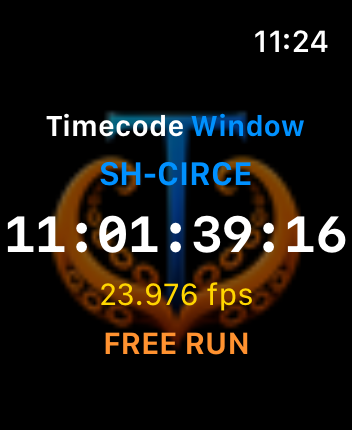
Apple Watch Quick Copy
Keep live timecode within a glance. Tap the timecode on your Apple Watch to copy it directly to your paired iPhone, ready to paste into notes, messages, logs, or reports.
Tap. Copy. Paste. Keep moving.
On Your Mac
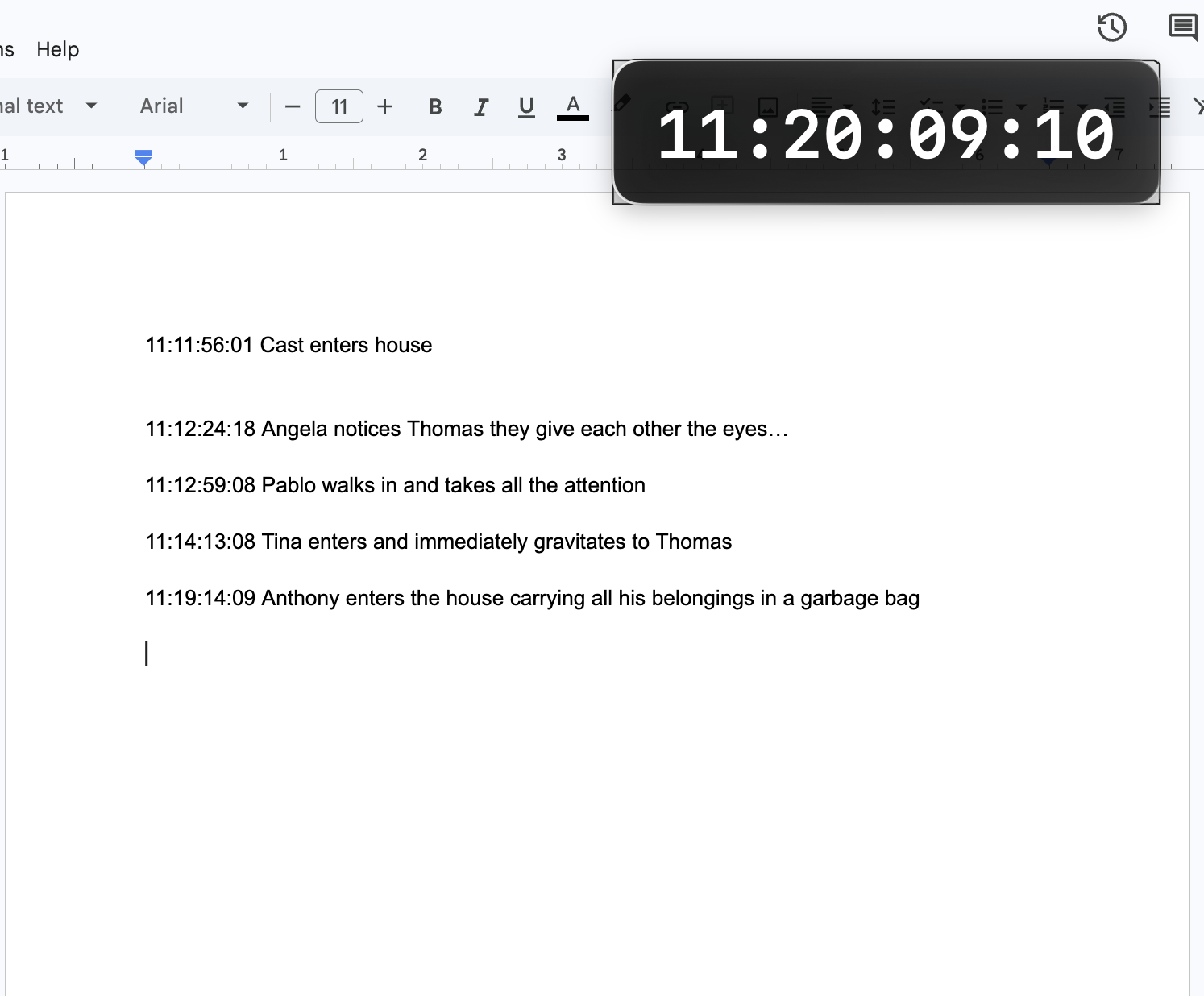
Timecode Window is available on macOS for the same fast logging workflow.
Use a keyboard shortcut to instantly copy and paste the current timecode wherever you're working.
A USEFUL PRODUCER-KIT IDEA
Work across different productions? Consider keeping your own compatible timecode generator in your producer kit.
A personal Tentacle Sync can be jammed from the production's master timecode, giving Timecode Window a dedicated reference source even when the production is using a different timecode system.

Open Timecode Window and choose the Tentacle you want to follow.
Timecode Window connects over Bluetooth, reads the incoming timecode, and locks to your source.
Tap Start Timecode Window to launch the live timecode display in Picture in Picture.
Open Notes, Google Docs, Messages, or whatever you need. Timecode stays visible while you work, and Quick Copy lets you grab the current timecode whenever you need it.